
Tech
‘Big Short’ trader Michael Burry slams OpenAI, Anthropic for ‘self-serving’ calls to slow AI

Michael Burry, a famous investor, slammed the leaders of OpenAI and Anthropic, as well as other tech titans, for orchestrating an “self-serving call” to slow down the pace of AI developments. He joined tech billionaires, President Trump, and the Chinese government, in condemning so-called AI fears-mongering.
Burry, the Hollywood short-seller lionized for predicting and profiting off the subprime crisis in 2008 as depicted in the blockbuster film “The Big Short”, wrote on X that “Let us all stop and think about how selfish it is of OpenAI and Anthropic executives and others of the big hyperscalers who talk about slowing down things.”
Burry noted that the calls for AI juggernauts to slow down were “cover” for a real, uncontrollable growth as AI laboratories struggled to maintain their stratospheric rise during the AI boom. Burry said that a cooling period could be helpful “in the event IPOs are pushed back.”
The negative tone of the AI industry leaders was also dismissed as a form of regulatory capture, whereby the dominant players in the field use slowdowns and regulations to stop the competition. He described the call for a slower pace as part of a marketing strategy ahead of the AI giants’ massive IPOs.
Burry wrote: “IPOs require hype and puffery. ‘We are so amazing it could be dangerous’ is just that, hype and puffery.” Burry warned previously that the rush to invest billions in AI is similar to the dotcom bubble from the early 2000s.
Both OpenAI and Anthropic filed IPO applications with the Securities and Exchange Commission in early summer. Altman told Fortune that OpenAI will delay its IPO. He said it would be an “ill advised moment” to list amid current AI fears.
Burry argues in his blog post that “large language models” are not AI, and therefore “there is nothing AI to slow things down.” He adds “LLMs will not be AGI and are not AI”. AI concerns have been largely centered on AGI. AGI refers to a technological advancement in which machines possess human-level intelligence. They could theoretically outsmart people and cut them out of important decisions.
Burry made his statements after Elon Musk, Google DeepMind CEO Demis Hassabis, OpenAI Sam Altman and Anthropic CEO Dario Amedei called for a greater level of government oversight and slowed development. In recent weeks, AI leaders have posted social media updates and essays on the topic. The weekend was the culmination of their efforts. AI stocks started the week with a hammering.
Leading voices within the AI field have been apoplectic about these missives.
In a Saturday social media post, David Sacks–a former A.I. czar at the White House and technology advisor to President Trump — said: “Stop pretending that the motive for slowing down is pure altruism.” In a social media posting on Saturday, the crypto czar and technology adviser for President Trump, David Sacks said: “Stop pretending that slowing down is purely altruistic.”
Bill Gurley, a venture capitalist and critic of the top AI companies, said to the New York Times that “if we are going to regulate it, then they cannot write the rules.”
JD Vance, vice president, chimed in with: “I feel, personally, a bit strange about how many AI companies are begging for government regulation.” I feel a little like it’s a Trojan horse.
Dario Amodei, CEO of Anthropic and author of an essay posted on his website Saturday, said the improvement in AI models should be slow. OpenAI’s CEO Sam Altman replied to Amodei’s essay about X. I agree with Dario about the need for a rapid pace of innovation.
Elon Musk (founder of SpaceXAI, formerly xAI) wrote in his own X-post, “Dario’s right.”
Microsoft CEO Satya Nadella also supports a slower pace, saying that “research, focus and deliberate pacing are needed in order to achieve alignment as the goal of design.”
Demis Hassabis, CEO of Google DeepMind, has previously supported a coordinated initiative to slow down frontier AI development in the event that risks increase. He called in July for an AI global watchdog led by the US to examine the most powerful AI models.
Calls for a halt are just the latest of a sometimes contradictory series about AI security and how much guardrails can control development. Anthropic has been a particular culprit in raising fears of AI catastrophes while simultaneously raising massive amounts of money to keep up with competitors.
In August, the Trump Administration finalized an evaluation framework that is voluntary. However, details have not been made public.
Tech
I wore Snap’s $2,200 smart glasses

My favorite part of wearing the Specs, Snap’s new augmented reality glasses, was playing dominoes. Sitting across the table from a Snap employee wearing the same pair of chunky glasses, I could select a virtual domino with a pinch and then move my hand to drop it in place, watching the tile snap down in front of us on a real table. It was unlike anything I’ve tried in other VR headsets or smart glasses — the ability to sit with another person and have a shared digital experience.
Snap really believes in AR glasses. The company has spent more than half a decade developing the technology, producing two generations of glasses that only ever shipped to a small number of developers. The company seems to want to untether itself from the limitations of being just one app in a big store and instead pioneer the next great platform.
Now, Snap is nearly ready to launch its first pair of AR glasses for consumers, the Specs, sometime this fall. That suggests Snap thinks these meet its vision well enough for regular people to enjoy using the $2,195 glasses. They’re certainly full of big ideas. But after an afternoon of testing at Snap’s offices this week, I’m skeptical of whether they’ll be fully ready for primetime.
The Specs are big, black, bold glasses that come in two lens sizes, 47mm and 52mm. Part of why they’re so bold is almost certainly to make a statement — there’s no mistaking these for a regular pair of glasses, like you might with Meta’s Ray-Bans. (They’re a little too conspicuous for me personally; my glasses style is squarely “Elder Millennial Who Shops At Warby Parker.”) But they’re also so chunky because they house all the hardware necessary to let the Specs function as a standalone computer, meaning they don’t need to be tethered to a phone, compute puck, or external battery.
They may be chunky, but the Specs aren’t quite as heavy as they look. They’re heavier than my Warby Parker glasses, of course, which I can comfortably wear for most of the day. But the Specs didn’t drag on my face like a full-on VR headset. The Specs felt sturdy, too: I shook my head around and they didn’t fall off or even really slip. I wouldn’t suggest playing pickup basketball in these, but they’ll stay on your face while walking around. They made my ears sag just a little, though. And I wasn’t able to use the Specs enough to tell you if they’d start to feel uncomfortable over the course of a full four-hour battery cycle.
Actually using the Specs is kind of like using a hybrid of smart glasses and a VR headset. In front of your eyes, you can see menus, app windows, and elements of whatever app (“lens”) you’re using, like the digital dominoes. Those elements appear over whatever you’re looking at with your eyes through the lenses of the glasses, which have waveguide displays that can show “16 million colors” and “sharp, high-resolution visuals” (Snap hasn’t specified the exact resolution).
Thanks to hand-tracking tech in the Specs, you can pinch and drag to manipulate parts of the interface, such as resizing a window or moving a domino onto the game board, and Snap says you can even snap your fingers to take a picture in the Specs’ Snapchat app. Clever. You can also have windows follow along as you move your head, in case you want to keep a window in your vision no matter where you’re looking. You can access a home button, a Control Center-like menu, and status information like the time by holding up your palm in a setup that reminds me of the ill-fated Humane Pin.
In my limited testing, it was all rather finicky. I often had to pinch a few times or make sure my hand was placed in just the right spot to get something to work the way it should. I never quite nailed the two-part action of flipping my hand up and then using my other hand to press the home button. While standing in the sun, it was much harder to see the augmented reality graphics.
Snap has beaten competitors like Meta to shipping a pair of glasses with displays in both lenses, letting it deliver a true AR effect and not just another flat screen. But by putting the AR display dead center in your vision, the Specs’ 51-degree field of view becomes a major limitation. It meant that digital elements kept slipping out of sight during my demos, which ruined the illusion that they were actually in the real world. While watching Lanterns on HBO Max in a browser in a moving car, I had to shrink the window to make it easier to see in front of me. While playing dominoes, I had to keep physically turning my head to see my dominoes and the playing board and back again.
Because it’s 2026, the Specs also have a dedicated AI chatbot assistant, but in my limited experience it was slow and inconsistent. With a “Hey Specs” command, I asked it to show me funny cat videos on YouTube, as suggested by a Snap rep. I had to ask it twice because it didn’t pick up the command the first time. When the command worked, it then took about 15 seconds for the Specs to pull up a YouTube page with search results for funny cat videos.
Watching that video also revealed to me a bizarre social interaction that people will have to come to grips with if AR glasses gain any sort of traction. On that YouTube page, I picked some random cat video collection, and it played in the background while the Snap rep kept talking to me. Even though the Specs were playing audio through the onboard speakers, the Snap rep standing right next to me said they couldn’t hear anything. That made me feel weird — these glasses theoretically let you watch and listen to a private video while staring somebody else straight in the eye. Even when I wasn’t watching the video, I found myself constantly distracted from the in-person conversations I was having during the demo because my eyes were caught up with what they were looking at while my hands were focused on arcane gestures for tasks that only I could see. I didn’t feel very present.
Like Meta glasses, which are currently grappling with a “pervert” glasses reputation, the Specs also let you take photos and record video. They too have a privacy indicator light, and it’s arguably more prominent than Meta’s take: Instead of a light that’s off to the side, the Specs’ light is right in the center of the glasses. But I don’t know if, given the growing pushback against Meta’s glasses, a blinking light is enough to deter concerns about potential unwanted recording.
In 2024, Snap CEO Evan Spiegel told The Verge that there is an opportunity for computers to evolve to “support the ways that humans have long interacted socially by looking at each other eye to eye with much more natural interaction.” Today, Snap has a simpler message: It says that its vision with Specs is to “make computing more human.” But even in my controlled demos, I found that Specs were actually more computer than other hardware; the glasses are unmissable on my head, and the digital content that only I could see was getting in the way of me interacting with the other people in the room.
Still, these headsets are coming. Meta is working on a pair, Google has a new glasses initiative, OpenAI has reportedly considered smart glasses, and Apple is apparently planning to announce Ray-Ban Meta-like smart glasses next year (and it’s worth noting that former Apple CEO Tim Cook has repeatedly praised AR in the past). It’s clear they all see the next frontier as glasses with tech like cameras and screens that sit on your head. Specs will be the first real test of what AR glasses can be. But even after Snap’s years of work, they still might be coming out too soon.
Tech
US lawmakers pass bill giving Trump more power to sanction Russia and its enablers

The US Congress has passed a sweeping bill allowing Donald Trump to raise tariffs on top buyers of Russian energy and issue other punishing sanctions against the Kremlin following a pitched battle between lawmakers backing Ukraine and sceptics worried the bill gives the president too much power.
The Lindsey O Graham Sanctioning Russia and Iran Act of 2026 passed in a 262-159 vote on the last day before Congress goes on recess ahead of the midterm elections. Graham, who died earlier this year, co-authored and submitted the bill more than a year and a half ago.
The long delay in the vote was widely considered to be scepticism from the Trump administration, which had opposed additional sanctions and then recently changed its stance to support tabling the bill as efforts to negotiate with the Kremlin to end the war have yielded few results.
However the bill faced last-minute hurdles in Congress as members of the Republican party’s isolationist wing were joined by Democrats who warned that Trump could use the bill’s new tariffs authority against allies instead.
The bill would mandate new sanctions on Russian political and military officials, and foreign networks helping to supply Russia’s war machine and evade existing sanctions. It would also target Russia’s so-called fleet of “shadow tankers”, which have allowed the country to continue to ship crude around the world despite sanctions on its energy exports.
It would also allow Trump to impose tariffs of up to 100% on the top purchasers of Russian energy, including China, as well as other countries helping the Kremlin evade sanctions.
Senior Democrats voiced opposition to the bill during a heated floor debate. “Why in the world would this Congress give this president additional authority to visit that kind of economic harm on the American people?” said Hakeem Jeffries, the leading Democrat in the House, during a speech on Wednesday, adding he would vote against the bill.
Democratic staffers supporting the bill said that it offered a “last chance” to increase sanctions on Russia before Ukraine entered a “long winter”. Russia has improved the drone technology it has used to strike Ukrainian infrastructure as Kyiv has suffered a shortage of anti-air missiles, leaving the country in a dire position.
Don Bacon, a Nebraska Republican supporting the bill, called it the US Congress’ “Churchill vs Chamberlain Moment on Russia”.
“Choking off the money funding a war of conquest in Europe is exactly what that authority should be used for, and Congress deciding to do that is Congress doing its constitutional job,” he said, rejecting arguments by Democrats that the bill gave Trump too much authority to slap tariffs on foreign countries.
The bill passed the Senate last month in a landslide 86-11 vote. However it faced more pushback in the House of Representatives. A Tuesday rule vote allowing consideration of Senate amendments to the bill passed by just 214-211, with two renegade Democrats joining Republicans to vote in favour of what they said was an act of support for Ukraine. That vote led to senior Democrats holding terse talks with their fellow party members.
“I’m proud to represent one of the largest Ukrainian communities in America – people who have lost fathers, mothers, sons and daughters in the fight to defeat fascism,” wrote Marie Gluesenkamp Perez, one of the two Democrat representatives, in a statement on Tuesday.
“I’ll always stand with my community’s values, and am grateful for the 86 senators who voted to send this bill to the House. My vote today gets us one step closer to enacting these sanctions into law and I look forward to voting tomorrow to cut off the flow of Russian oil money fuelling this war.”
The Ukrainian government has said it supported the bill, and hundreds of pro-Ukrainian activists calling for tougher sanctions on Russia held advocacy talks in Washington DC in the days leading up to the vote.
“We support any initiative that is in the interest of Ukraine and Ukrainians,” said Denys Sienik, the Chargé d’Affaires at the Ukrainian embassy in Washington DC. “So if we are talking about the possibility of putting more pressure on Russia so that it holds the Russian war machine, of course, we are there, and we are grateful to every senator, to every congressman and congresswoman for their voice and, and for their support.”
Tech
House passes bill to shield consumers from data center price hikes on energy

WASHINGTON — Under pressure to act on unpopular data centers, the House on Wednesday overwhelmingly passed bipartisan legislation aimed at shielding consumers from higher energy costs when new data centers are built in their communities.
The vote was nearly unanimous, 417-3, with the only opposition coming from progressive Reps. Summer Lee, D-Pa., Delia Ramirez, D-Ill., and Rashida Tlaib, D-Mich. Because GOP leaders brought the bill to the floor under a fast-tracking procedure known as suspension, support from two-thirds of voting lawmakers was required.
The bill, dubbed the Ratepayers Protection Act, is the only legislation related to artificial intelligence that was scheduled for a vote this week as Congress considers its response to dire warnings from some former AI employees about its dangers.
With the House holding its final votes before the midterm elections on Wednesday evening, and the Senate only staying in Washington a few more weeks, not much more is expected to get done to address the AI issue until at least the post-election lame-duck session.
The data center bill was co-sponsored by Reps. Gabe Evans, R-Colo., and Kathy Castor, D-Fla., both members of the Energy and Commerce Committee.
It aims to put the onus and responsibility on tech and data center companies — rather than consumers — to pay for power upgrades required to operate new large data centers.
Specifically, the legislation would create a federal standard for state utility regulators to consider when creating rules for large, high-power data centers to cover the costs of power generation, transmission lines and other infrastructure upgrades needed to power these facilities, according to Evans.
Data centers provide the computing power and storage for artificial intelligence. The Evans-Castor bill, however, does not address any of the recent warnings from AI researchers: that the fast-moving technology could cause human extinction. And it’s unclear what the Senate will do with the bill, if anything. The upper chamber has its own set of data center bills, but it hasn’t moved any.
“Hardworking families should not have to subsidize the energy demands of data centers,” Evans said in a statement after the vote. “America needs the infrastructure to lead the world in AI and outcompete Communist China, but we cannot have that growth at the expense of hardworking families, farmers, seniors, and small businesses.”
Evans, in his first term, is one of the most vulnerable House Republicans of the cycle; Cook Political Report characterized his race against Democratic state Rep. Manny Rutinel in Colorado as a “toss-up.”
Evans and other at-risk lawmakers had been pressing GOP leaders for a vote on data centers, which have emerged as a key campaign issue in the November midterm elections.
President Donald Trump has fully supported the construction of new data centers, saying they are critical for U.S.-based AI companies to compete with China. But voters in swing districts and swing states have argued that data centers are springing up across America too fast, and they’ve begun mobilizing against their construction in many places.
A recent NBC News Decision Desk poll powered by SurveyMonkey found that nearly 70% of respondents oppose the construction of AI data centers in their neighborhood; 45% said they were strongly opposed.
The ratepayer bill was just one of a handful of energy-related bills the House took up in its final week in session before the Nov. 3 midterm elections. The votes come as oil remains above $100 a barrel and the high cost of living and inflation remain the top issues heading into Election Day.
Many Democrats supported the measure, saying they didn’t view the bill as harmful, but they panned it as weak.
“Our communities and the people in our districts are so outraged, and they are understandably very angry that Congress isn’t doing enough” on data centers, Rep. Veronica Escobar, D-Texas, who represents El Paso, told NBC News before the vote. “I’m going to vote yes, but it is truly the bare minimum. In fact, it’s kind of pathetic that all we’re going to do is make them pay their own energy costs.”
“These data centers are going into communities like mine that don’t want them,” she added. “My community does not want data centers, loudly and clearly, and I agree with my community.”
Michigan Rep. Debbie Dingell, who heads Democrats’ policy and communications arm, voted yes but said, “It’s not enough in any way, shape or form.”
And former Progressive Caucus Chairwoman Pramila Jayapal, D-Wash., who also supported the bill, pointed to Trump’s comments this week that the AI industry doesn’t need guardrails and that serious safety warnings about AI are a “hoax.”
“This is the same party that has a president that says that the AI threat is a hoax, and so I am worried about just allowing this to be, ‘Oh, we’ve solved it,’” Jayapal said. The effort “is a direct contradiction to what their president is continuing to say in opposing any real regulation.”
Tech
iOS 27 is here: 10 iPhone features you’ll want to try now
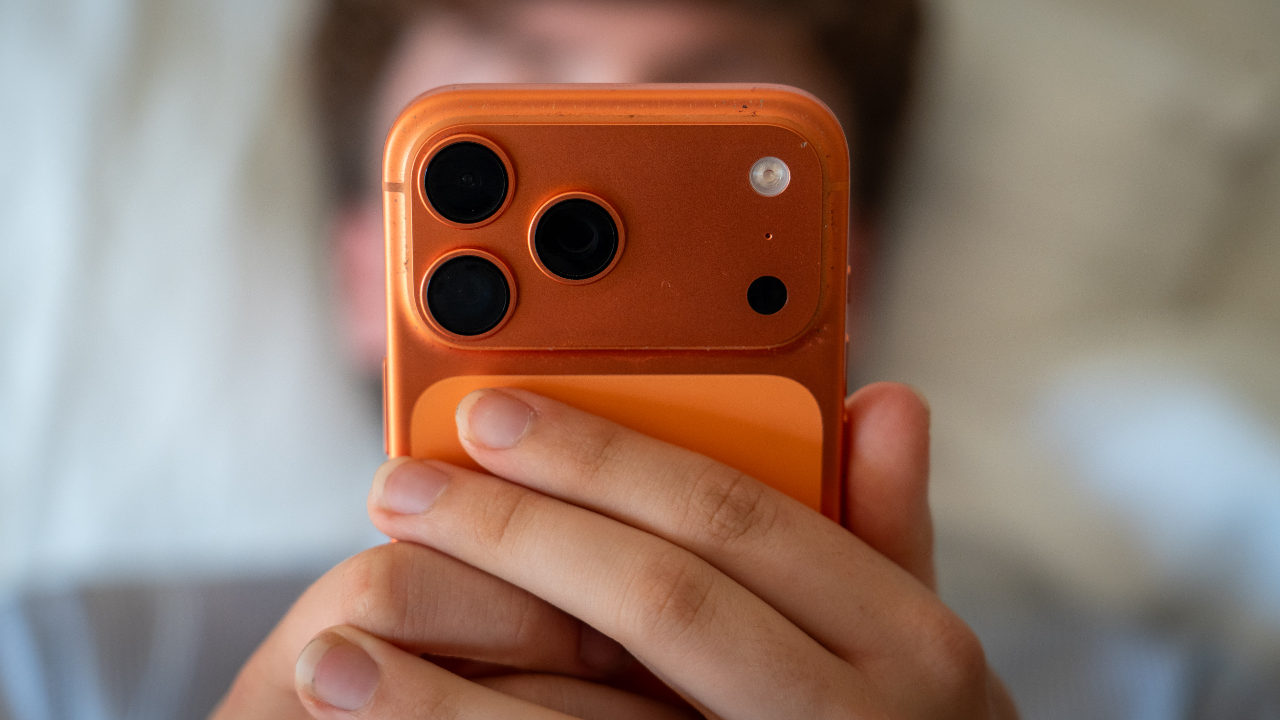
Your iPhone is getting a major update. Apple released iOS 27 to the public on Monday, Sept. 14, bringing a wave of new features along with the long-awaited Siri AI beta.
However, there is much more happening under the hood. Safari can now watch websites for changes. The Photos app gets powerful new editing tools. Apple also says it has made iOS faster across compatible iPhones.
Some of these changes could save you from digging through apps or hunting for information yourself. Others give you more control over how your iPhone looks and works. Here are the iOS 27 features I think are worth trying first, along with how to find them.
NEW! Join our upcoming CyberGuy LIVE class: Get Better healthcare With AI
In this free live online class, Kurt “CyberGuy” Knutsson will show you five practical ways AI can help you take a more active role in your healthcare. You’ll learn how to organize your health history, remember important appointment details, understand complicated medical information, research prescriptions and prepare questions for your next doctor’s visit. No technical experience is needed.
Register for free now at CyberGuyLive.com.
8 BIGGEST THINGS WE LEARNED FROM APPLE’S 2026 EVENT
Will your iPhone get iOS 27?
The good news is that Apple kept support fairly broad. iOS 27 works with the iPhone 11 family and newer models. It also supports the second-generation iPhone SE and later. That means plenty of people can upgrade without buying a new phone. However, the biggest AI features have tougher hardware requirements. Apple Intelligence and Siri AI require an iPhone 15 Pro or iPhone 15 Pro Max, or an iPhone 16 model or later. So, an iPhone 11 can run iOS 27, but it will miss Siri AI and other Apple Intelligence features.
Keep in mind that many of the features below, including the new AI photo tools, Safari Notify Me and Call Context, also require an Apple Intelligence-compatible iPhone. Siri AI is rolling out in beta in English on supported devices. Apple says support for additional languages will follow later. Availability can also vary by region.
iOS 27 should also feel faster
Apple says iOS 27 brings performance improvements across the system. In Apple’s testing, apps can launch up to 30% faster, new photos can load in the Photos app up to 70% faster and AirDrop transfers can be up to 80% faster. Apple also says iOS 27 improves transitions between Wi-Fi and cellular connections and makes Mail search more relevant. Those are Apple’s own figures, so your results will vary depending on your iPhone and how you use it.
How to install iOS 27 on your iPhone
Before installing a major update, I recommend backing up your iPhone. Also, connect to Wi-Fi and make sure you have enough battery life or plug your phone into power.
Then follow these steps:
Open Settings.
Tap General.
Tap Software Update.
When iOS 27 appears, tap Update Now or Update Tonight.
Enter your passcode if prompted.
Agree to Apple’s terms.
Let the update download and install.
Your iPhone will restart when the installation finishes.
If iOS 27 does not appear immediately, check again later. Apple software releases can take some time to appear on every compatible iPhone.
1) Reframe a photo after you take it
Apple Intelligence moves deeper into the Photos app with Spatial Reframing. It lets you change the composition and perspective of a photo after you took it. Apple Intelligence can generate additional parts of the scene when your new framing exposes areas that were outside the original shot.
How to use Spatial Reframing
Open the Photos app.
Choose a photo.
Tap the three-slider Edit icon at the bottom of the screen.
Tap Tools in the bottom-right corner.
Tap Reframe.
Drag the photo to change the perspective or framing.
Zoom as needed.
Review the AI-generated result.
Tap Done when you like it.
Because AI may create new portions of the scene, I would zoom in and inspect the result before sharing an edited photo. Generative tools can still produce odd details.
2) Extend a photo beyond its original edges
Maybe you took a photo too close to your subject. The new Extend tool lets you expand beyond the original edges while Apple Intelligence generates the missing surroundings.
How to use Extend in Photos
Open Photos and select your photo.
Tap the three-slider Edit icon.
Tap Tools in the bottom-right corner.
Tap Extend.
Pinch inward with two fingers or drag the edges of the frame.
Tap Extend again.
Review the generated result before saving it.
The feature will not work with every photo. Apple also says its intelligent photo-editing tools can be subject to daily usage limits.
3) Clean Up can remove bigger distractions
Apple has also upgraded Clean Up in Photos. The tool can now tackle larger unwanted objects and distractions while using AI to fill in the space left behind.
How to use Clean Up
Open the Photos app.
Select the photo you want to edit.
Tap the three-slider Edit icon.
Tap Tools in the bottom-right corner.
Select Clean Up.
Tap, brush or circle the object you want to remove.
Tap Clean Up
Review the result and tap Done when you are satisfied.
This could be especially handy for removing a person in the background or another distraction that pulls attention away from the subject.
Image Playground gets much more realistic
Apple is also giving Image Playground a major upgrade in iOS 27. You can now generate images in many more styles, including photorealistic ones. You can also start with an existing image and describe how you want Apple Intelligence to change it.
For example, you could ask it to change the setting or adjust the overall look without starting from scratch. As with Apple’s other generative image tools, usage limits may apply. I would also look closely at the results before sharing them, especially when people or detailed objects appear in the scene.
4) Safari can watch a website for you
This may end up being one of my favorite iOS 27 features because it solves a very common frustration. Safari’s new Notify Me feature can monitor a webpage for a change you care about. For example, you could ask Safari to watch for a product coming back in stock. It can also monitor a page for a price change. Instead of reopening the same page over and over, Safari can alert you when something changes.
How to use Safari Notify Me
Open Safari.
Visit the webpage you want to monitor.
Tap the puzzle piece icon in the search bar.
Tap Notify Me.
Choose a suggested request or type what you want Safari to watch.
Adjust how often Safari should check the page if you want.
Tap the blue check mark.
Tap Allow to receive notifications.
You can choose hourly, daily, weekly or monthly checks. However, Notify Me does not yet work on every website. Safari can also automatically organize open tabs by topic, which could help anyone whose browser looks like a digital junk drawer by the end of the week.
APPLE AI SECURITY UPDATE PROVES HACKERS MOVE FAST
5) Your iPhone can surface information while you are on a call
Apple Intelligence is also getting involved when you call businesses. A new feature called Call Context can surface useful information from other apps while you are on a call.
Say you call an airline about a reservation. Call Context can pull up a confirmation code from Mail rather than forcing you to leave the Phone app and search for it while someone waits on the other end.
There is no complicated workflow to learn. When you place a supported business call and Apple Intelligence identifies relevant information, it can surface that information during the call.
Apple says its system determines what could be useful based on who you are calling. It can do that without analyzing the audio from your call. That is the kind of AI feature I want to see more of, because you do not have to change your behavior to benefit from it.
6) Liquid Glass gets a much-needed adjustment
Last year, Apple introduced the transparent Liquid Glass design across iOS. Some people liked the new look. Others found certain screens harder to read. With iOS 27, Apple says it has improved contrast and readability. More importantly, you now have greater control over how transparent the interface appears. Apple added a slider that lets you move the look from ultraclear toward fully tinted.
How to adjust Liquid Glass
Open Settings.
Tap Appearance.
Tap Liquid Glass.
Drag the slider left for a clearer, more transparent look or right for a more tinted, opaque look.
Stop when the interface looks easiest for you to read.
The changes appear in real time as you move the slider. The setting applies across iOS, including places such as Control Center, notifications and app overlays. This is a small change, but I like that Apple is giving people a choice rather than assuming one visual treatment works for everyone.
7) Put your favorite Camera controls within easy reach
If you are always digging around for the timer, exposure or another Camera setting, iOS 27 lets you keep the controls you use most right above the camera frame. Apple starts you with Flash and Live Photo there, but you can customize the row with other tools you use regularly.
How to customize your Camera controls
Open the Camera app.
Tap the Camera Controls button. It looks like six small dots inside a circle near the camera controls area.
Tap Edit.
Tap a tool you want to keep above the camera frame.
Tap the minus button next to a tool if you want to remove it.
Tap Done when you are finished.
Swipe down on the tools menu to return to the Camera.
Depending on your iPhone and camera mode, available controls can include Flash, Live Photo, Timer, Exposure, Styles and Aspect. Apple also gives you a Reset to Essentials option if you want to return to the default setup.
8) Parents get more control over what kids can open
Apple has put a lot of work into parental controls in iOS 27. The new Ask to Browse feature lets a child request access to a website that has been restricted. The parent receives that request through Messages and can approve or decline it.
How to set up Ask to Browse
You first need Family Sharing set up with your child in the family group.
Open Settings.
Tap Family.
Select your child.
Tap Screen Time.
Tap Content & Privacy Restrictions.
Tap App Store, Media, Web & Games.
Configure the web restrictions you want for your child.
When your child tries to visit restricted web content, they can send an Ask to Browse request for your approval. Apple has also expanded Communication Safety. It already helps protect children from nudity in supported Apple services. With iOS 27, Apple says the system can intervene when it detects gore or violent content in shared photos and videos.
9) Find My gives you more control over location sharing
Find My gets a useful privacy upgrade in iOS 27, especially if you only want someone to see your location for a limited amount of time. You can now choose a custom duration for location sharing or set an exact date and time for it to stop. That could come in handy on a trip, during an event or anytime you want temporary location sharing without having to remember to turn it off later. You can also pause location sharing until the end of the day for specific people. Apple says this can be useful when you want to keep something like a surprise party or gift-shopping trip private.
How to use the new Find My location options
Open the Find My app.
Tap People.
Tap the contact you want to share your location with.
Scroll down and tap Share My Location.
Choose Indefinitely, Until End of Day, For One Hour or Custom.
If you choose Custom, set the duration or exact date and time when you want sharing to end.
If you already share your location with someone, you can also pause sharing with that person until the end of the day from their location-sharing options. I like having more control here because location sharing often makes sense for a specific situation. You may want someone to know where you are during a weekend trip without giving them indefinite access afterward.
10) You can describe a Shortcut and let AI build it
Shortcuts can be incredibly powerful, but building one manually can get complicated fast. iOS 27 makes the process much easier with Describe a Shortcut. You can tell Apple Intelligence what you want your iPhone to automate in plain English. Shortcuts then connects the actions needed to build it. For example, Apple says you could ask your iPhone to message someone with your ETA when you leave work. You could also build automations that work across supported apps.
How to create a Shortcut with a description
Open the Shortcuts app.
Tap the + icon.
Tap Describe a Shortcut.
Type what you want the Shortcut to do.
Tap the send arrow.
Answer any follow-up questions if prompted.
Review the Shortcut Apple Intelligence creates.
Describe any changes you want if you need to refine it.
This could make Shortcuts much more approachable for people who have always liked the idea of automating their iPhone but never wanted to figure out how all the individual actions fit together. Some Shortcuts that rely on Apple’s cloud-based AI models may be subject to daily usage limits.
ASKED SIRI TO CALL YOUR BANK? A SCAM COULD COST THOUSANDS
Bonus: Siri AI is here, but it is still in beta
This is the feature many iPhone owners have been waiting for, but I would treat it differently from the 10 features above. Siri AI is rolling out as a beta in English on supported devices, so expect some rough edges while Apple continues to improve it.
Siri AI can hold more natural conversations and handle follow-up questions. It can also use personal context from information on your device.
For example, you could ask Siri to find an old photo without remembering when you took it. You can also ask it to locate something buried in an email or note. Siri can take more actions inside apps, too. Apple says it can work across messages, emails, photos and other supported apps. Siri can also pull information from the web when you ask broader questions.
Why you should care
The real test will be whether Siri can save you from bouncing between apps. I have always found voice assistants most useful when they remove a few steps from something I already wanted to do. If Siri AI can reliably find a buried email or pull up a photo from years ago based on a vague description, that could change how often people use it. Because this is still a beta, I would double-check important answers or actions before relying on them.
How to try the new Siri AI app
Apple has also given Siri its own app, which makes it feel more like the AI assistants people have grown used to using.
Open the new Siri app.
Tap the new conversation icon.
Type or speak what you want to ask.
Continue with follow-up questions.
Return to previous conversations from the main Siri screen.
You can also pin conversations you want to keep handy. Apple says you can invoke Siri AI by saying “Hey Siri,” pressing the side button or swiping down from the Dynamic Island on supported iPhones.
Kurt’s key takeaways
What I like most about iOS 27 is that some of its best features solve problems you actually run into. Safari can keep an eye on a webpage so you do not have to. The new photo tools could rescue a shot you thought was unusable. Find My also gives you better control over how long someone can see your location. I am especially interested in what Apple Intelligence can do with Shortcuts. Describing an automation instead of building it action by action could finally make Shortcuts approachable for people who have always found it too complicated. Siri AI is still the feature I will be watching most closely. Apple is asking us to trust Siri with more personal context and more complicated requests, so getting the answers right will be critical. The fact that Siri AI launches as a beta tells me we should expect some bumps along the way. What I want from AI on my iPhone is pretty simple. Save me time without making me think about the technology doing the work. If iOS 27 can consistently do that, these features could become the ones you use every day without even thinking about them.
What would Siri AI have to prove before you let it handle more of your day? Let us know by writing to us at Cyberguy.com.
Sign up for my FREE CyberGuy Report
Get my best tech tips, urgent security alerts and exclusive deals delivered straight to your inbox.
For simple, real-world ways to spot scams early and stay protected, visit CyberGuy.com – trusted by millions who watch CyberGuy on TV daily.
Plus, you’ll get instant access to my Ultimate Scam Survival Guide free when you join.
CLICK HERE TO DOWNLOAD THE FOX NEWS APP
Copyright 2026 CyberGuy.com. All rights reserved.
Tech
Ursula von der Leyen wants Canada to become EU’s 1st associate member : NPR
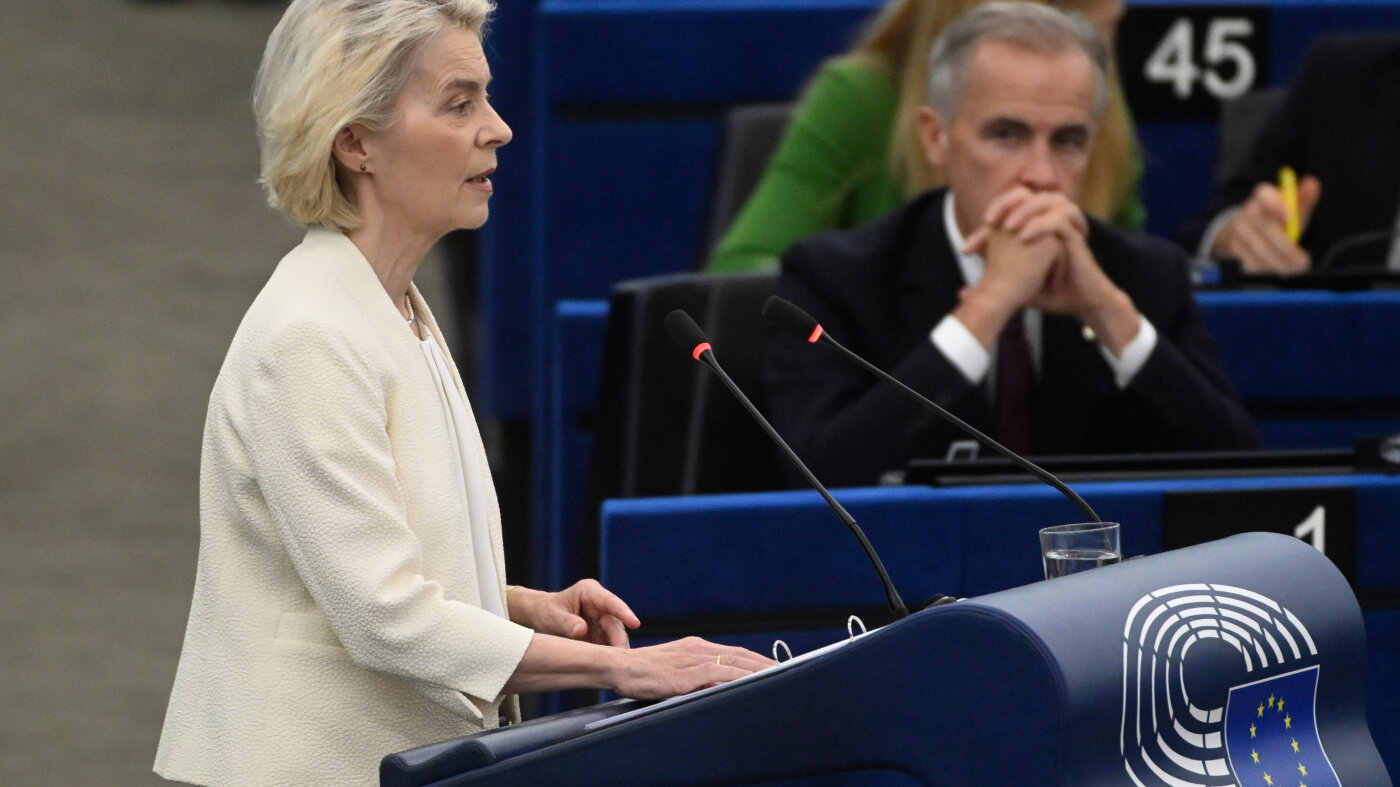
STRASBOURG, France — European Commission President Ursula von der Leyen on Wednesday proposed making Canada the European Union’s first associate member, a striking overture as U.S. President Donald Trump’s tariffs drive Ottawa closer to Europe.
Trump’s tariffs and repeated talk of making Canada the 51st state have pushed Canada to seek closer economic and security ties with Europe. Roughly 70% of Canadian exports go to the United States, and Carney has called for a “unique alliance” with the EU as Canada seeks to reduce that dependence.
“I would like to work with you on opening the door for Canada being the first associate member of the EU,” von der Leyen told Canadian Prime Minister Mark Carney during her annual State of the European Union address at the European Parliament in Strasbourg. Carney nodded, rose from his seat, embraced von der Leyen and kissed her on both cheeks as lawmakers gave a standing ovation. He is due to address the Parliament on Thursday.
A Canadian official familiar with the discussions told The Associated Press last week that Ottawa was exploring ties with the EU that could stop just short of membership. The official said Canada would seek an arrangement allowing its citizens to live and work in Europe without visas as part of a broader strategic partnership.
Carney’s office welcomed von der Leyen’s proposal, saying Canada was deepening ties with the EU “to strengthen our sovereignty” and supported a move beyond their existing free trade agreement, known as CETA, to what she called an “Alliance for the Future.”
Von der Leyen said the broader alliance would aim to create “a common prosperity and economic security space.”
She cast that closer relationship as rooted not just in trade but in shared democratic values.
“Above all, dear Mark, Europe and Canada believe in democracy,” von der Leyen said to Carney, who sat in the front row to her left.
“We believe that power does not belong to the strongest, the richest or the loudest, but to all of us. That democracies have the freedom to choose with whom to work.”
Canada has already joined the EU’s defense procurement program
Von der Leyen said the expanded partnership would cover advanced manufacturing, technology, defense production, the Arctic, energy, critical minerals, batteries, artificial intelligence, quantum computing, cybersecurity and economic security.
“This is a partnership not against anyone else, but for our common strength,” she said. “In short, we want to bring the relationship with Canada to the highest level possible.”
However, she gave no details of how the associate membership would work or how it would fit with the other countries negotiating full membership of the bloc.
Canada this year became the first non-European country to join the EU’s 150-billion-euro ($173-billion) SAFE defense program, giving Canadian companies access to joint procurement.
Iratxe García Pérez, president of the Socialists & Democrats group in the European Parliament, praised Carney for showing “great courage confronting Donald Trump” and said allies were needed to defend “sovereignty, solidarity and international law.”
Carney said Tuesday that economic integration, once viewed largely as an asset, is increasingly “being used as a weapon by certain countries.” On Tuesday he said discussions would ramp up at the Canada-EU summit in Montreal in late October.
Carney has urged middle powers to work together
Canada has retaliated against U.S. tariffs and rejected trade terms Carney says would weaken its sovereignty.
The EU has taken a different course with Washington, reaching a trade agreement that set a 15% U.S. tariff ceiling on the vast majority of EU exports while Europe eliminated tariffs on U.S. industrial goods.
That contrast has loomed over Carney’s push for closer European ties. In a closely watched speech at the World Economic Forum in Davos in January, he urged middle powers to work together to increase their leverage in an era of great-power rivalry.
“When we only negotiate bilaterally with a hegemon, we negotiate from weakness. We accept what is offered,” Carney said.
“This is not sovereignty,” he said. “It is the performance of sovereignty while accepting subordination.”
Carney’s Davos speech on middle powers in January drew a personal rebuke from Trump, and von der Leyen’s overture to America’s neighbor could raise the temperature again.
Barry Andrews, chair of the European Parliament’s Development Committee, called Canada “a perfect ally for Europe” and said closer ties could bring particular benefits for Ireland, noting that more than 10% of Canadians claim Irish ancestry.


Could Canada become Europe’s first ‘associate member’?
Trump's tariffs have pushed Ottawa toward Brussels. The European Union has now invited Canada to become its first "associate …


Tracking ‘Godzilla’ El Niño across five countries | BBC News
El Niño is already here. The natural weather pattern, which develops in the Pacific Ocean, is bringing extreme weather to...


How much caffeine is too much? #Caffeine #Coffee #Tea #BBCNews


Macklemore pledges to donate $1M to groups supporting Palestinians
Rapper Macklemore said he would donate $1 million, his full net earnings from his role on Ed Sheeran's concert tour,...


SpaceX launches Falcon 9 for US Space Force mission
A Falcon 9 rocket from SpaceX carried a classified US Space Force payload into orbit from California. #cnn #news #spacex.


Is AI rewiring your kid’s brain? | Chasing Life
Parents have spent years worrying about screens. Now, the screen talks back. Dr. Sanjay Gupta asks early child development …


Buckingham Palace rejects claims made in Earl Spencer book about King Charles | BBC News
Buckingham Palace has rejected claims about King Charles made by Princess Diana's brother Earl Spencer in his new memoir.


Travis Kelce among victims in $35M Ponzi scheme
Kansas City Chiefs star Travis Kelce is among 64 people defrauded in a $35 million Ponzi scheme, according to KMOV,...


Cancer patient told she will get drug which will make her life longer. #BBCNews


Inside the 'world's coolest neighborhood'
Seoul's Jongno-3 ga has been given a major designation. CNN's Gage Goulding takes a look.
-

 Business2 weeks ago
Waymo accelerates robotaxi expansion with launches in Denver, San Diego, and Tampa
-

 Uncategorized1 week ago
Latest US Political News Updates: Key Developments Shaping America in September 2026
-

 Entertainment2 weeks ago
Miley Cyrus Announces ‘Bass Persuades’ Album, Hollywood Bowl Shows
-

 TravelNews1 week ago
Republican midterm convention 2026: What to know about Trump’s Dallas event
-

 Business2 weeks ago
TikTok, Whatnot livestream shopping gains steam in the U.S.
-

 PM office canada2 weeks ago
Pete Hegseth posts latest “frat boy” insult to Canada, academics say
-

 Business7 days ago
What is So Hard About Behind-The-Meter Power For Datacenters? Part 1
-

 Business2 weeks ago
TechCrunch Mobility: Tesla Cybercab hits the road – and a snag